At-Home Assessments, Purpose-Built for Patients

Get in Touch
Kelvin Reach

Integrated In-App Data Capture

Kelvin Reach captures video, images, audio and questionnaires directly in-app on patients’ own mobile or tablet. Patients can follow assigned tasks and review or retake media before submitting.
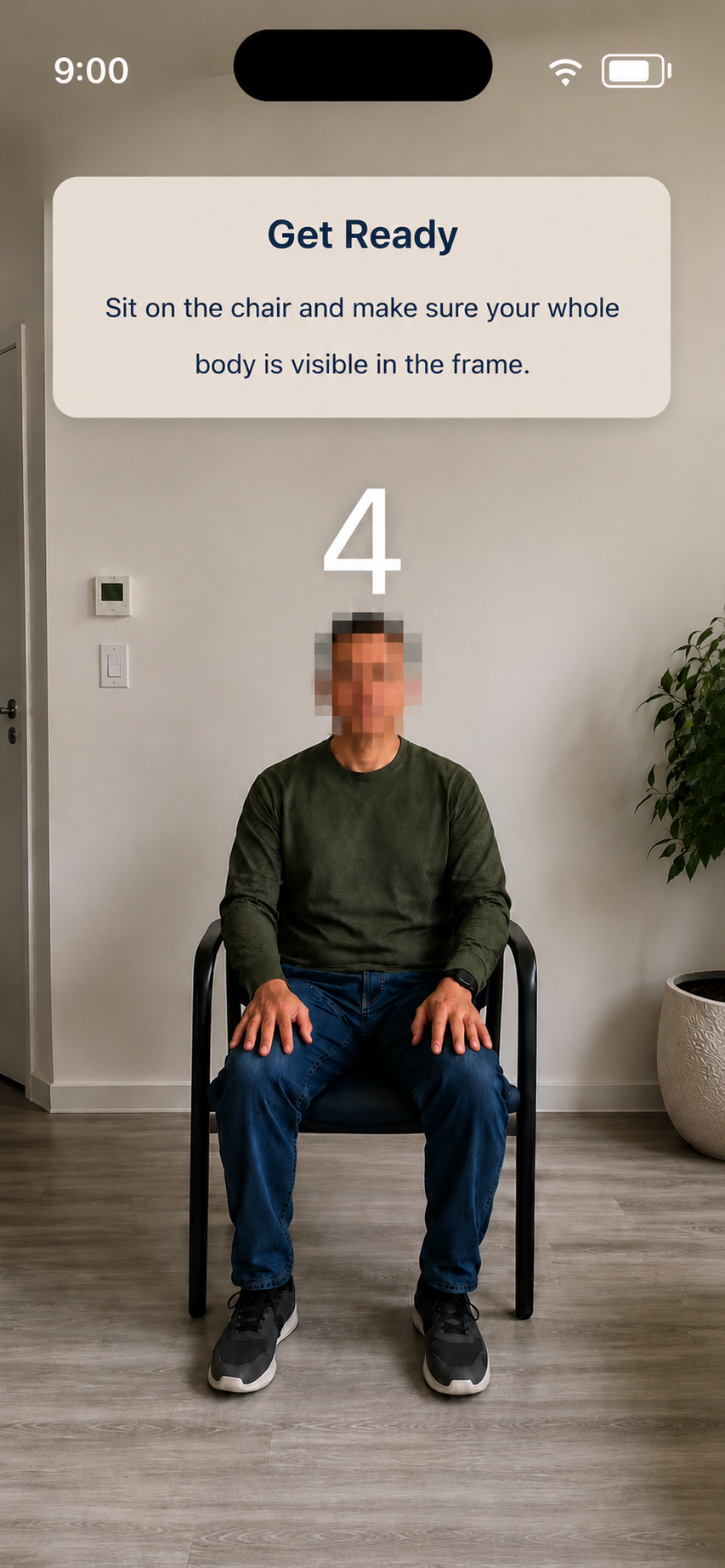
Kelvin Reach provides guided in-app video capture as part of the remote clinical assessment workflow, allowing patients to record themselves completing protocol defined tasks at home using the front-facing camera on their own device, a phone or a tablet. Recording can also start and stop automatically when required by the study protocol, enabling hands-free video capture during assessments. In this example, a seated patient prepares for an at-home assessment while the app instructs them to sit on a chair with their whole body visible in the frame and displays a countdown before recording.
Get Ready
Sit on the chair and make sure your whole body is visible in the frame.

Guided Task Completion

Patients are guided step by step from device setup to task completion, with clear on-screen instructions, audio-visual guidance, and timed task flows that support smooth, hands-free assessment capture.
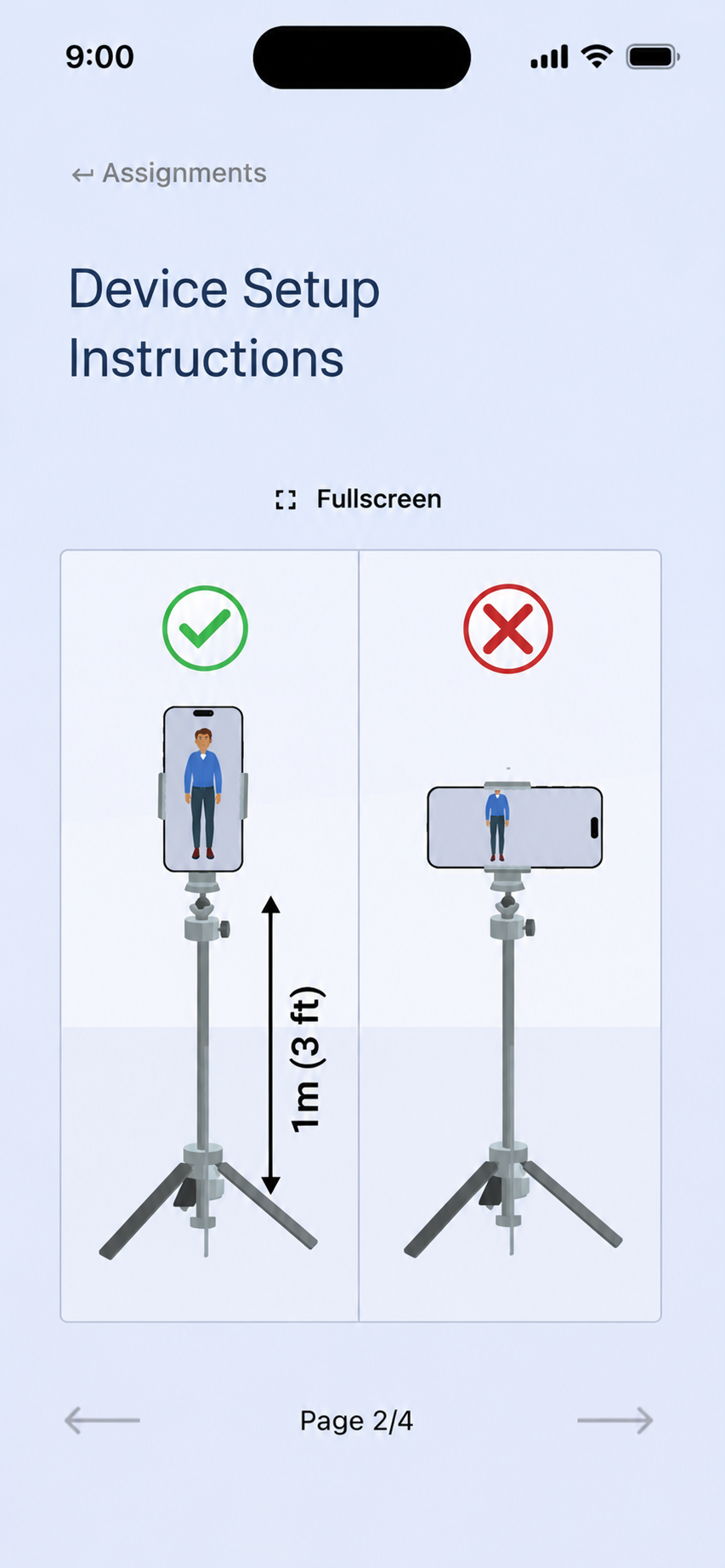
Kelvin Reach provides protocol-aligned setup and assessment guidance for remote assessments, giving patients study-specific instructions for positioning their phone or tablet at home and completing the assessment. Written task instructions, audio-visual guidance, video instructions and on-screen prompts guide patients through each step. In this example, the device is mounted upright on a tripod 1 m (3 ft) from the patient, with the app showing the correct portrait orientation alongside an incorrect landscape orientation for in-app video and multimodal data capture.

Offline Access & Secure Uploads

Patients can complete assigned tasks offline, with captured data automatically uploaded once a connection is available. Following a successful upload, captured media is securely deleted from the local device.
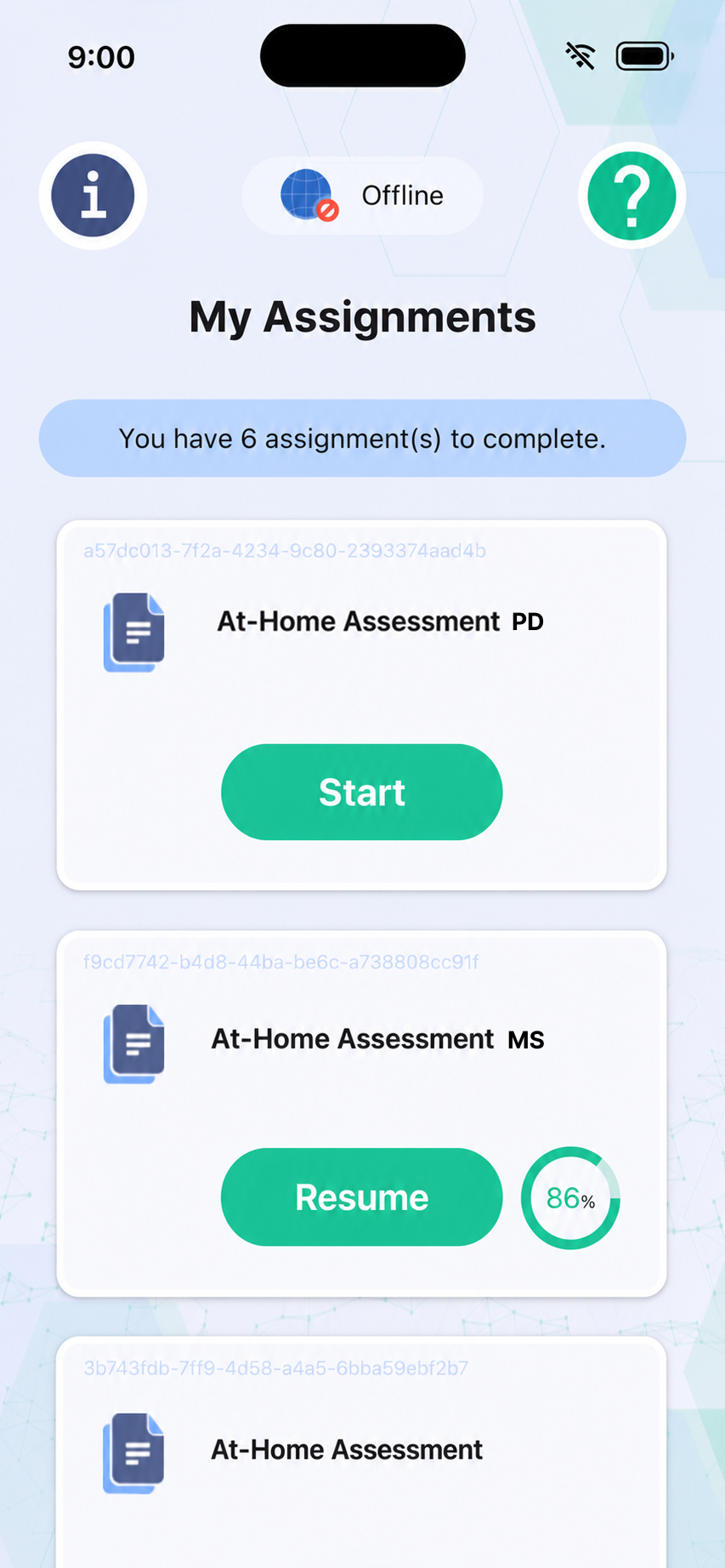
Kelvin Reach is designed for easy patient access, using a hassle-free one-time login that does not require patients to remember a username or password. Once logged in, patients can access and complete assigned remote assessments offline when an internet connection is unavailable, with captured data automatically uploaded once connectivity is restored and securely deleted from the local device after a successful upload. In this example, the My Assignments screen shows Kelvin Reach in offline mode with six assessments to complete, including Parkinson’s disease and multiple sclerosis assessments, with options to start or resume tasks and view assessment completion progress.

Passive Health Data Collection

Capture protocol-relevant passive health data from connected devices, alongside active remote assessments.

  • Protocol-configured capture
  • Wearable and device data
  • Background collection (Required data only)

Scheduled Assessment Overview

Patients can access assigned tasks and scheduled remote assessment dates in one place.

  • Assessment reminders
  • Completion tracking
  • Upcoming task view

Secure Data Protection

Patient data is protected through end-to-end encryption, controlled access and de-identified workflows across the Kelvin platform.

  • GDPR compliant
  • HIPAA compliant
  • ISO 27001 certified

Capture High-Quality Assignment Data From Home